






在 spring boot 3 中,用 @restcontrolleradvice 捕获指定业务异常,再用 problemdetail 统一返回状态码、错误标题和业务字段。客户端仍能根据实际 http 状态分支处理。
定义业务异常和演示入口
以下两个包内类可放在同一个 Java 文件中,并置于应用扫描范围。示例用重复提交演示 409。
import org.springframework.web.bind.annotation.GetMapping;
import org.springframework.web.bind.annotation.RestController;

class AlreadySubmitted extends RuntimeException {}

@RestController
class DemoController {
    @GetMapping("/demo/conflict")
    String conflict() {
        throw new AlreadySubmitted();
    }
}
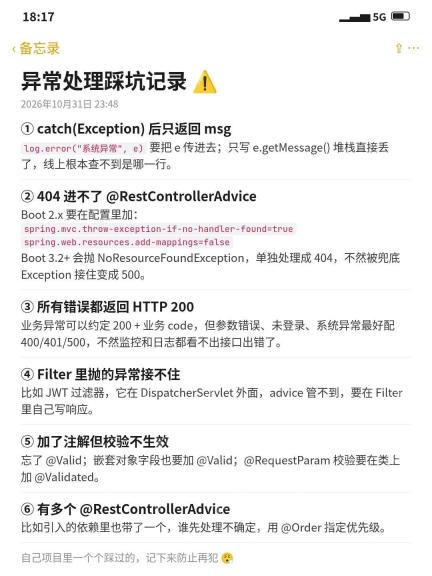
实际项目在检测到业务冲突的位置抛出此类异常。
在 Advice 中统一映射响应
在同包另建一个 Java 文件。返回稳定的业务错误码,避免直接暴露底层异常内容。

import org.springframework.http.HttpStatus;
import org.springframework.http.ProblemDetail;
import org.springframework.web.bind.annotation.ExceptionHandler;
import org.springframework.web.bind.annotation.RestControllerAdvice;

@RestControllerAdvice
class ApiErrors {
    @ExceptionHandler(AlreadySubmitted.class)
    ProblemDetail handleConflict() {
        var detail = ProblemDetail.forStatusAndDetail(
            HttpStatus.CONFLICT, "This submission already exists");
        detail.setTitle("Submission conflict");
        detail.setProperty("code", "ALREADY_SUBMITTED");
        return detail;
    }
}
其他业务错误可按语义另建映射,保留对应的 HTTP 状态。
用 curl 核对状态与 JSON 字段
启动本地 Spring MVC 应用后执行。
curl -i -H 'Accept: application/problem+json' \
  http://127.0.0.1:8080/demo/conflict
预期状态是 409,响应含 status、title、detail 和 code。若收到默认 500,先检查 Advice 是否被扫描、异常类型是否匹配。


