






python 可用 python-docx 读取 .docx 主体普通段落,再用 difflib.sequencematcher 比较段落序列,区分新增、删除和替换。不要直接 zip 两个列表,否则可能遗漏尾部新增段落。这个方案比较提取后的文本,不涵盖表格、页眉页脚、样式或 word 修订语义。
读取 Word 普通段落并生成完整差异块
先运行 python -m pip install python-docx,再把下列代码保存为 word_diff.py。读取失败会向上抛异常,不把损坏或缺失文件当成空文档;真正空的段落列表仍然可以参与比较。
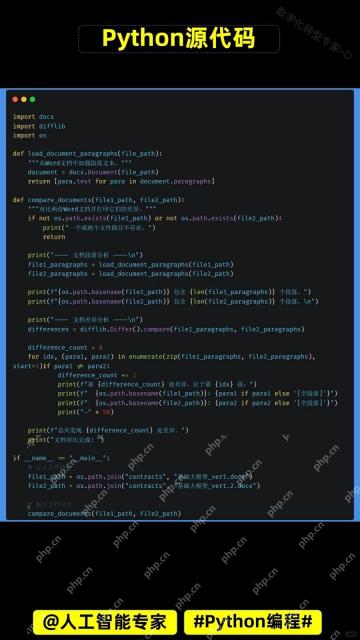
from difflib import SequenceMatcher
from docx import Document

def read_paragraphs(path):
    return [paragraph.text for paragraph in Document(path).paragraphs]

def compare_paragraphs(before, after):
    changes = []
    matcher = SequenceMatcher(None, before, after, autojunk=False)
    for kind, start_a, end_a, start_b, end_b in matcher.get_opcodes():
        if kind == "equal":
            continue
        changes.append({
            "kind": kind,
            "before_range": (start_a, end_a),
            "after_range": (start_b, end_b),
            "before": before[start_a:end_a],
            "after": after[start_b:end_b],
        })
    return changes

if __name__ == "__main__":
    import sys
    if len(sys.argv) != 3:
        raise SystemExit("用法:python word_diff.py before.docx after.docx")
    for change in compare_paragraphs(read_paragraphs(sys.argv[1]), read_paragraphs(sys.argv[2])):
        print(change)
范围采用从 0 开始、右端不含的列表切片规则。替换块可能对应不等数量的段落,因此完整输出前后两个切片,不再用 zip 把不等长替换块截短。autojunk=False 会关闭自动热门项启发式,但不保证线性运行时间。
生成测试文档,验证中间插入和末尾追加
另存为 check_word_diff.py,与 word_diff.py 放在同一目录。程序用临时目录创建两份实际 .docx 文件,退出后清理;测试没有依赖预先准备的用户文档。

from pathlib import Path
from tempfile import TemporaryDirectory
from docx import Document
from word_diff import read_paragraphs, compare_paragraphs

def save_document(path, paragraphs):
    document = Document()
    for text in paragraphs:
        document.add_paragraph(text)
    document.save(path)

with TemporaryDirectory() as directory:
    before = Path(directory) / "before.docx"
    after = Path(directory) / "after.docx"
    save_document(before, ["第一段", "第二段"])
    save_document(after, ["第一段", "中间新增", "第二段", "末尾新增"])
    changes = compare_paragraphs(read_paragraphs(before), read_paragraphs(after))
    assert [item["kind"] for item in changes] == ["insert", "insert"]
    assert [item["after"] for item in changes] == [["中间新增"], ["末尾新增"]]
    assert compare_paragraphs(read_paragraphs(before), read_paragraphs(before)) == []
    print(changes)
运行 python check_word_diff.py 后应得到两个新增块。相同文档返回空差异列表;缺少一个参数或读取失败应明确报错,不能伪装成“内容完全相同”。
验证不等长替换和整份文档为空的边界
以下脚本也与 word_diff.py 放在一起运行。用短列表专门验证比较函数:两个旧段落替换成一个新段落时,两边内容都要完整保留;删除全部段落则返回删除块。
from word_diff import compare_paragraphs

changes = compare_paragraphs(["旧甲", "旧乙"], ["新段落"])
assert len(changes) == 1
assert changes[0]["kind"] == "replace"
assert changes[0]["before"] == ["旧甲", "旧乙"]
assert changes[0]["after"] == ["新段落"]
assert compare_paragraphs([], []) == []
assert compare_paragraphs([], ["新增"])[0]["kind"] == "insert"
assert compare_paragraphs(["删除"], [])[0]["kind"] == "delete"
print("不等长替换与空列表边界通过")
算法按文本序列寻找匹配块,不理解合同含义,也不保证得出唯一的编辑过程。空段落会作为序列元素保留;如果选择忽略空白或大小写,应先说明规范化规则,因为那会改变差异范围。
Python免费学习笔记(深入):立即使用
在学习笔记中,你将探索 Python 的核心概念和高级技巧!


