






在jquery中,可以利用unbind()方法来删除hover事件;但不能直接使用“unbind("hover")”语句,因为hover是由mouseenter和mouseleave构成的,所以要删除hover效果,只需要移除这两个事件即可,语法“元素对象.unbind("mouseenter").unbind("mouseleave")”。

本教程操作环境:windows7系统、jquery3.6.1版本、Dell G3电脑。
今天遇到jquery需要去掉hover的问题,原以为直接unbind("hover")就可以搞定,可是搞了半天都不行。
$("button").click(function() {
	$("p").unbind("hover");
});
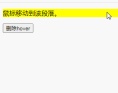
原因其实很简单,hover并不是事件。打开参考手册,hover其实由 mouseenter和mouseleave构成的。这样问题就很明了!
/* 这种方法是错误的 */
$(#hover_div).unbind("hover");

/* 这种方法也是错误的 */
$(#hover_div).unbind("mouseover").unbind("mouseout");

/* 这种方法是新增的,在老的版本里是无法使用的 */
$(#hover_div).unbind("mouseenter mouseleave");

/* 这种方法正确的,新老版本皆可用 */
$(#hover_div).unbind("mouseenter").unbind("mouseleave");
上面的代码建议使用第四种,相对安全些。
使用示例:
html>


		<meta><script></script><script>
			$(document).ready(function() {
				$("p").hover(function() {
					$("p").css("background-color", "yellow");
				}, function() {
					$("p").css("background-color", "pink");
				});

				$("button").click(function() {
					$("p").unbind("mouseenter").unbind("mouseleave");
				});
			});
		</script><p>鼠标移动到该段落。</p><div class="aritcle_card flexRow artxards">
											<div class="artcardd flexRow">
												<a class="aritcle_card_img" rel="nofollow" href="/xiazai/skill12835" title="JavaScript 测试模式"><img
														src="https://img.php.cn/upload/skill/001/246/273/6adaf20cf0281539.jpg" alt="JavaScript 测试模式" onerror="this.onerror='';this.src='/static/lhimages/moren/morentu.png'" ></a>
												<div class="aritcle_card_info flexColumn">
													<a rel="nofollow" href="/xiazai/skill12835" title="JavaScript 测试模式" class="overflowclass">JavaScript 测试模式</a>
													<p class="overflowclass">使用 Jest、Vitest 和 Testing Library 实施全面的测试策略,包括单元测试、集成测试和端到端测试,涵盖模拟、测试夹具和测试驱动开发。在编</p>
												</div>
												<a rel="nofollow" href="/xiazai/skill12835" title="JavaScript 测试模式" class="aritcle_card_btn flexRow flexcenter"><b></b><span>下载</span>
												</a>
											</div>
										</div>
		<button>删除hover</button>
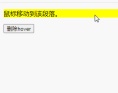
说明:unbind()方法
unbind() 方法能够移除所有的或被选的事件处理程序,或者当事件发生时终止指定函数的运行。
该方法也可以通过 event 对象取消绑定的事件处理程序。该方法也用于对自身内部的事件取消绑定(比如当事件已被触发一定次数之后,删除事件处理程序)。
【推荐学习:jQuery视频教程、web前端视频】


