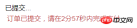
以下是我自己编写的一个代码,功能是在微信公众号开发过程中实现倒计时的。效果如下,订单已提交,请在2分57秒内完成支付。纯代码解析。
开始的思路没有考虑页面在后台运行以及锁屏等情况。代码如下:
let interval = setInterval(() => {
            let {staticTime} = this.state;
            staticTime = staticTime - 1;
            if (staticTime  {
            let {backGroundTime, staticTime} = this.state;
            this.setState({
                backGroundTime:0
            });
            staticTime = staticTime - backGroundTime - 1;
            if (staticTime <p>listenPageShowHideHandle = () =>{</p><pre class="brush:js;toolbar:false;">let {backGroundTime} = this.state;
let start, end;
let self = this;
document.addEventListener("visibilitychange", function() {
    if(document.visibilityState == 'hidden'){
        start = new Date().getTime();
    }else if(document.visibilityState == 'visible'){
        end = new Date().getTime();
        backGroundTime = Math.floor((end - start)/1000);
        self.setState({backGroundTime});
        console.log('时间差:', backGroundTime);
    }
    console.log( document.visibilityState );
});
}
改造之后发先问题依然存在。原因是:
You cannot continue to run javascript while the iPhone is sleeping using setTimeout(), however.When the phone is put to sleep, Safari will kill any running javascript processes using setTimeout(). Check out this answer here for some reasons why this is done.

**解决方案:**
订单生成的时候我们记录下这个时间为A, 时间间隔为B(3分钟内需要付款,B为3*60*1000),C为现在的时间。我们使用setInterval 每个1秒读取一下时间。那么倒计时时间 == A+B-C,代码如下

 let interval = setInterval(()=>{
        let {orderTime, staticTime} = this.state;
        let nowTime = Date.now();
        let sub = Math.floor((orderTime + staticTime - nowTime)/1000);
        console.log('sub',sub);
        if(sub<p>apache php mysql</p><div class="aritcle_card flexRow artxards">
											<div class="artcardd flexRow">
												<a class="aritcle_card_img" rel="nofollow" href="/xiazai/skill13718" title="使用 Husky 在 JavaScript 仓库中强制执行本地 Git 钩子检查"><img
														src="https://img.php.cn/upload/skill/001/246/273/6adaf20dee630206.jpg" alt="使用 Husky 在 JavaScript 仓库中强制执行本地 Git 钩子检查" onerror="this.onerror='';this.src='/static/lhimages/moren/morentu.png'" ></a>
												<div class="aritcle_card_info flexColumn">
													<a rel="nofollow" href="/xiazai/skill13718" title="使用 Husky 在 JavaScript 仓库中强制执行本地 Git 钩子检查" class="overflowclass">使用 Husky 在 JavaScript 仓库中强制执行本地 Git 钩子检查</a>
													<p class="overflowclass">使用 Husky 将 pre-commit、pre-push 和 commit-msg 检查集成到仓库中,以便代理和开发人员在更改离开工作站之前运行相同的本地防护措施。</p>
												</div>
												<a rel="nofollow" href="/xiazai/skill13718" title="使用 Husky 在 JavaScript 仓库中强制执行本地 Git 钩子检查" class="aritcle_card_btn flexRow flexcenter"><b></b><span>下载</span>
												</a>
											</div>
										</div><p>相关文章:</p><p><a href="http://www.php.cn/php-notebook-227865.html" target="_self">微信公众号授权设置,微信公众授权</a></p><p><a href="http://www.php.cn/php-notebook-168216.html" target="_self">微信公众号点击菜单即可打开并登录微站的实现方法</a></p><p>相关视频:</p><p class="t" style="margin: 0px 0px 1px; padding: 0px; list-style: none; font-weight: 400; font-size: medium; line-height: 1.54; color: rgb(51, 51, 51); font-family: arial; white-space: normal; background-color: rgb(255, 255, 255);"><a href="http://www.php.cn/course/320.html" target="_self">传智、黑马微信公众平台开发视频教程</a></p>