






前言:
项目开发中遇到了需要将HTML页面的内容导出为一个word文档,所以有了这边随笔。
当然,项目开发又时间有点紧迫,第一时间想到的是用插件,所以百度了下。下面就介绍两个导出word文档的方法。
法一:通过jquery.wordexport.js导出word
备注:兼容IE9以上
大概浏览了下jquery.wordexport.js插件的代码,了解到了通过该插件可以导出文本和图片,而图片首先通过canvas的形式
绘制,文本则需要再依赖FileSaver.js插件,FileSaver.js插件则主要通过H5的文件操作新特性new Blob()和new FileReader()
来实现文本的导出。
插件源码:
FileSaver.js
  1 /* FileSaver.js
  2  * A saveAs() FileSaver implementation.
  3  * 1.3.2
  4  * 2016-06-16 18:25:19
  5  *
  6  * By Eli Grey,
  7  * License: MIT
  8  *   See
  9  */
  10
  11 /*global self */
  12 /*jslint bitwise: true, indent: 4, laxbreak: true, laxcomma: true, smarttabs: true, plusplus: true */
  13
  14 /*! @source  */
  15
  16 var saveAs = saveAs || (function(view) {
  17         "use strict";
  18         // IE <p><span class="cnblogs_code_collapse">View Code</span></p><p>jquery.wordexport.js</p><pre class="brush:js;toolbar:false;"> 1 if (typeof jQuery !== "undefined" && typeof saveAs !== "undefined") {
 2     (function($) {
 3         $.fn.wordExport = function(fileName) {
 4             fileName = typeof fileName !== 'undefined' ? fileName : "jQuery-Word-Export";
 5             var static = {
 6                 mhtml: {
 7                     top: "Mime-Version: 1.0\nContent-Base: " + location.href + "\nContent-Type: Multipart/related; boundary=\"NEXT.ITEM-BOUNDARY\";type=\"text/html\"\n\n--NEXT.ITEM-BOUNDARY\nContent-Type: text/html; charset=\"utf-8\"\nContent-Location: " + location.href + "\n\nhtml>\n\n_html_",
 8                     head: "\n<meta>\n<style>\n_styles_\n</style>\n\n",
 9                     body: "_body_"
 10                 }
 11             };
 12             var options = {
 13                 maxWidth: 624
 14             };
 15             // Clone selected element before manipulating it
 16             var markup = $(this).clone();
 17
 18             // Remove hidden elements from the output
 19             markup.each(function() {
 20                 var self = $(this);
 21                 if (self.is(':hidden'))
 22                     self.remove();
 23             });
 24
 25             // Embed all images using Data URLs
 26             var images = Array();
 27             var img = markup.find('img');
 28             for (var i = 0; i <p><span class="cnblogs_code_collapse">View Code</span></p><p>插件调用:</p><pre class="brush:html;toolbar:false;"> 1 html>
 2
 3
 4     <meta>
 5     <title>生成word文档</title>
 6
 7
 8 <p>
 9     </p><p>JS导出Word文档</p><div class="aritcle_card flexRow artxards">
											<div class="artcardd flexRow">
												<a class="aritcle_card_img" rel="nofollow" href="/xiazai/skill13305" title="AgentGen — HTML to PDF & Image"><img
														src="https://img.php.cn/upload/skill/001/246/273/6adaf20cf0281539.jpg" alt="AgentGen — HTML to PDF & Image" onerror="this.onerror='';this.src='/static/lhimages/moren/morentu.png'" ></a>
												<div class="aritcle_card_info flexColumn">
													<a rel="nofollow" href="/xiazai/skill13305" title="AgentGen — HTML to PDF & Image" class="overflowclass">AgentGen — HTML to PDF & Image</a>
													<p class="overflowclass">将 HTML 转换为 PDF 和图片。无需注册,免费版开箱即用(每分钟 1 次请求,含水印)。如需更高频次及去水印……</p>
												</div>
												<a rel="nofollow" href="/xiazai/skill13305" title="AgentGen — HTML to PDF & Image" class="aritcle_card_btn flexRow flexcenter"><b></b><span>下载</span>
												</a>
											</div>
										</div>
 10
 11 <input>
 12 <script></script>
 13 <script></script>
 14 <script></script>
 15 <script>
 16     $(function(){
 17         $("input[type='button']").click(function(event) {
 18             $(".word").wordExport('生成word文档');
 19         });
 20     })
 21 </script>
 22
 23
直接调用wordExport()接口就可以导出word文档,传的参数为导出的word文件名。
补充:
通过我们常规写的外联样式设置样式是无效的,通过个人的实践发现需要写内联样式才能生效,而单位也需要按照word的配置
单位pt设置。
而jquery.wordexport.js插件是要配置了个style样式让我们补充样式设置的:
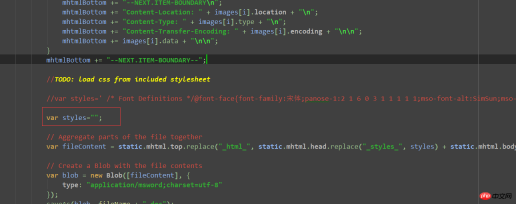
但是个人实践了下,设置的样式却无法生效,只能通过内联设置才生效。
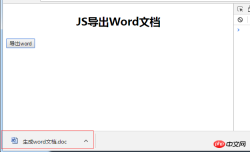
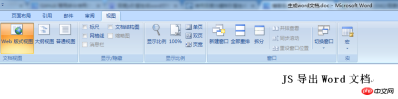
截图:
法二:通过百度js模板引擎生成word文档
主要是通过js模板设置对应的标签,然后XDoc.to(baidu.template())导出word,而通过百度js模板引擎的好处是也可以导出PDF文件。
完整demo:
 1 html>
 2
 3
 4     <meta>
 5     <script></script>
 6     <script></script>
 7     <style>
 8         .head{
 9             font-size: 29px;
 10             display: block;
 11         }
 12         .content{
 13             display: block;
 14         }
 15     </style>
 16
 17
 18 <input>
 19 <input>
 20 <br>
 21 <script>
 22     <xdoc version="A.3.0">
 23         <body>
 24         <para heading="1" lineSpacing="28">
 25             <text class="head" valign="center" fontName="标宋" fontSize="29"><%=title%>
 26
 27         <para>
 28             @@##@@" sizeType="autosize"/>
 29
 30         <para lineSpacing="9">
 31             <text class="content" fontName="仿宋" fontSize="18"><%=content%>
 32
 33
 34
 35 </script>
 36 <script></script>
 37 <script>
 38     var type="docx";//pdf
 39     var data = {
 40         title: "导出"+type+"文件",
 41         img: "",
 42         content: "我这样就可以导出"+type+"格式的文件了,是不是很方便",
 43     };
 44     function renderTemplate(){
 45         var template=$("#tmpl").html();
 46         var html=template.replace(/<%=title%>/,data.title)
 47                 .replace(/<%=img%>/,data.img)
 48                 .replace(/<%=content%>/,data.content);
 49         $("body").append(html);
 50     }
 51     renderTemplate();
 52     function gen(type) {
 53         XDoc.to(baidu.template('tmpl', data), type, {}, "_blank");
 54     }
 55     console.log('');
 56 </script>
 57
 58
前端入门到VUE实战笔记:立即使用
在学习笔记中,你将探索 前端 的入门与实战技巧!













