






python 3.10 及以上可以用 glob.glob() 按文件名模式查找路径,配合 root_dir 指定搜索根目录。*.py 只查当前层;**/*.py 加 recursive=true 可搜索子目录。glob 也可能匹配目录,结果不保证顺序,因此需要按用途过滤并排序。
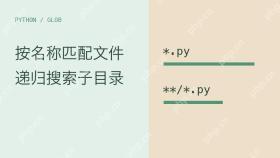
按扩展名匹配当前层文件,并排除同名目录
下面的完整示例只在临时目录中操作,退出后清理。目录 archive.py 也满足名称模式,所以应再调用 is_file()。root_dir 让示例不用修改进程工作目录,返回的匹配项则相对于该根目录。
import glob
from pathlib import Path
from tempfile import TemporaryDirectory

with TemporaryDirectory() as directory:
    root = Path(directory)
    (root / "a.py").write_text("pass", encoding="utf-8")
    (root / "notes.txt").write_text("notes", encoding="utf-8")
    (root / "archive.py").mkdir()
    matches = glob.glob("*.py", root_dir=root)
    files = sorted(name for name in matches if (root / name).is_file())
    assert files == ["a.py"]
    print(files)
没有匹配项通常返回空列表,不会因为“找不到任何文件”自动抛出 FileNotFoundError。glob 不是完整的文件系统审计工具;后续打开文件时仍要处理权限变化或文件被移除等错误。
递归搜索子目录,并明确隐藏路径的匹配规则
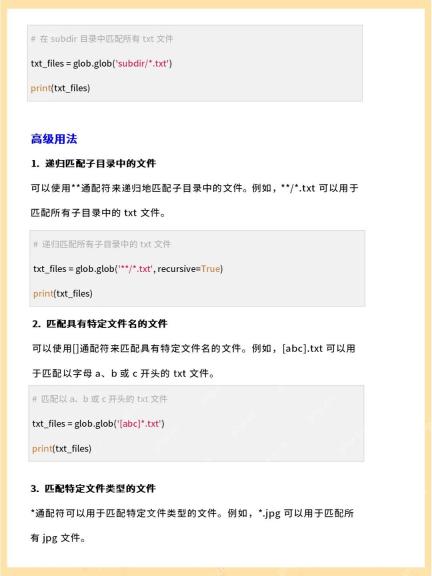
** 只有在 recursive=True 时才提供跨目录递归匹配。默认规则下,普通星号模式不会匹配以点开头的名字;想匹配当前层的隐藏文件,可显式使用以点开头的模式。这里不启用新版本的 include_hidden 参数。
import glob
from pathlib import Path
from tempfile import TemporaryDirectory

with TemporaryDirectory() as directory:
    root = Path(directory)
    (root / "src").mkdir()
    (root / ".git").mkdir()
    for name in ["a.py", "src/b.py", ".hidden.py", ".git/c.py"]:
        (root / name).write_text("pass", encoding="utf-8")
    names = glob.glob("**/*.py", root_dir=root, recursive=True)
    files = sorted(Path(name).as_posix() for name in names if (root / name).is_file())
    assert files == ["a.py", "src/b.py"]
    assert glob.glob(".hidden.py", root_dir=root) == [".hidden.py"]
    print(files)
多个 ** 出现在同一个模式中时,结果可能重复;若业务要求唯一结果,可明确去重后排序。大量目录递归仍会发生遍历开销,不要对无边界的大目录树承诺即时完成。

把方括号文件名按字面匹配
文件名含 [、*、? 等模式字符时,用 glob.escape() 表达字面名称。下面在临时目录创建方括号名称,与另一个可能被未转义模式误匹配的名称对照。转义只是控制匹配语义,不是路径权限或访问范围校验。
import glob
from pathlib import Path
from tempfile import TemporaryDirectory

with TemporaryDirectory() as directory:
    root = Path(directory)
    literal = "report[1].txt"
    (root / literal).touch()
    (root / "report1.txt").touch()
    assert glob.glob(literal, root_dir=root) == ["report1.txt"]
    assert glob.glob(glob.escape(literal), root_dir=root) == [literal]
    print("字面文件名匹配通过")
如果只是检查一个已知文件是否存在,直接使用 Path.exists 或打开文件通常更清楚;glob 更适合文件名模式。读到匹配结果与真正打开文件之间仍有时间间隔,最终操作应以实际返回结果为准。
Python免费学习笔记(深入):立即使用
在学习笔记中,你将探索 Python 的核心概念和高级技巧!


