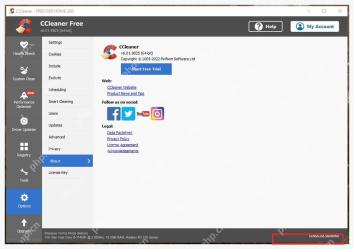
ccleaner 的更新提醒在 options 或 settings 的 updates 页面调整。新版本界面可能叫 keep ccleaner updated automatically,旧版界面会把 product updates、show me notifications 和手动更新分开列出。
进入 Options 的 Updates 页面
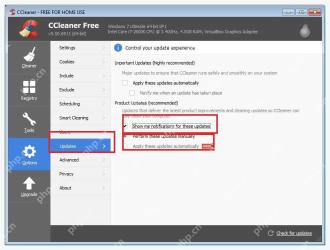
打开 CCleaner,进入 Options → Updates。旧版会显示 Important Updates 和 Product Updates,两块设置分别控制重要更新和产品更新提醒。
按需要开关通知选项
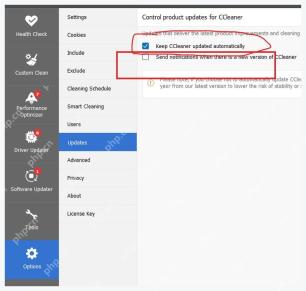
如果只想收到提醒,保留 Show me notifications for these updates;如果不想自动安装,选择手动更新。新版界面里对应的是 Send notifications when there is a new version of CCleaner。

用 About 页手动检查版本
关闭提醒后,建议定期到 About 页点 Check for updates。清理规则会随 Windows 和浏览器变化,太久不更新可能识别不到新的缓存位置。