
debian服务器优化以稳、快、安全为核心,依次开展基础安全加固(ufu默认拒绝入站、ssh密钥登录)、软件源加速(换清华镜像并修复gpg)、网络内核调优(sysctl参数优化及静态路由)、内存交换配置(fallocate创建swap文件)。

基础安全加固:防火墙与最小权限
刚装好的 Debian 默认开放极少端口,但必须显式确认并收紧:
- 用
sudo ufw default deny incoming关闭所有入站连接,再按需放开——只开 SSH(22)、HTTP(80)、HTTPS(443),数据库端口(如 3306)绝不暴露公网,仅限本地或内网 IP 访问 - 确保
sshd服务开机自启:sudo systemctl enable ssh,避免重置后失联 - 禁用 root 密码登录,改用密钥认证:
PermitRootLogin no和PasswordAuthentication no写入/etc/ssh/sshd_config,重启 ssh 服务生效
软件源加速:换国内镜像 + GPG 验证修复
默认源在欧洲,国内用户更新慢、易失败。阿里云或清华源是首选:
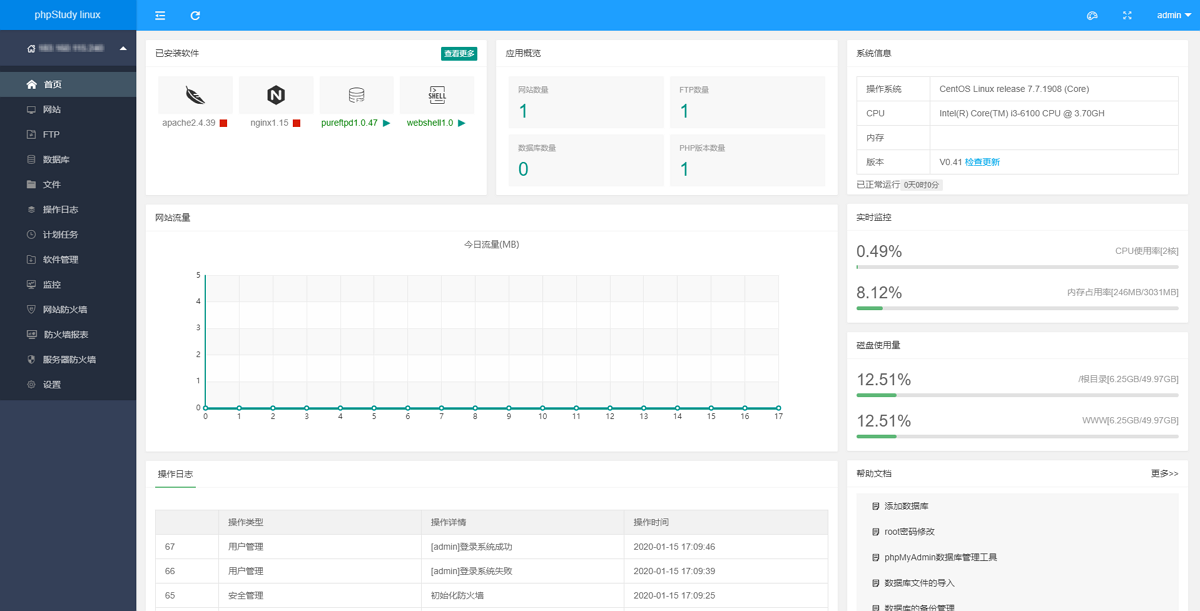
小皮面板(phpStudy for Linux 服务器运维管理面板)
下载
针对Linux系统,phpStudy团队推出全网首家linux docker容器面板,只要一个命令,快速安装面板,在面板里可以自行选择软件版本,可以方便的进行安全配置,就算没有Linux基础也可以快速搭建和管理PHP服务器环境!
- 备份原源:
sudo cp /etc/apt/sources.list /etc/apt/sources.list.bak - 替换为清华源(以 Debian 12 Bookworm 为例):
deb https://mirrors.tuna.tsinghua.edu.cn/debian bookworm main contrib non-free non-free-firmwaredeb https://mirrors.tuna.tsinghua.edu.cn/debian bookworm-updates main contrib non-free non-free-firmwaredeb https://mirrors.tuna.tsinghua.edu.cn/debian-security bookworm-security main contrib non-free non-free-firmware - 执行
sudo apt update若报 GPG 错误,运行sudo apt install debian-keyring debian-archive-keyring补全密钥
网络与内核调优:适配高并发或低延迟场景
不是所有服务器都需要调优,但 Web/API 服务建议启用:
- 编辑
/etc/sysctl.conf,追加以下几项(已实测稳定):net.core.rmem_max=16777216net.core.wmem_max=16777216net.ipv4.tcp_tw_reuse=1net.ipv4.tcp_fin_timeout=30 - 生效命令:
sudo sysctl -p - 若需访问特定内网网段(如容器网络或跳板机),添加静态路由:
up route add -net 172.18.0.0/16 gw 192.168.1.1写入/etc/network/interfaces对应网卡段
内存与交换:合理应对突发负载
物理内存不足时,swap 文件比 swap 分区更灵活,尤其在云主机或 SSD 环境:
- 检查当前状态:
swapon --show或free -h - 创建 2–4GB 交换文件(推荐
fallocate):sudo fallocate -l 4G /swapfilesudo chmod 600 /swapfilesudo mkswap /swapfilesudo swapon /swapfile - 永久生效:在
/etc/fstab末尾追加一行:/swapfile none swap sw 0 0