
IOS GameKit
简介
GameKit是iOS SDK中一个常用的框架。其核心功能有3个:
- 交互游戏平台Game Center,
- P2P设备通讯功能
- In-Game Voice。
实例步骤
1.在链接 iTunes 时请确保拥有一个唯一的 App ID( unique App ID),App ID在我们应用程序更新 bundle ID时及在Xcode代码签名与相应的配置文件需要使用到。
2.创建新的应用程序和更新应用程序信息。在添加新的应用程序文档可以了解更多有关信息。
3.打开你申请的application,点击Manage Game Center选项。进入后点击Enable Game Center使你的Game Center生效。接下来设置自己的Leaderboard和Achievements。
4.下一步涉及处理代码,并为我们的应用程序创建用户界面。
5.创建一个single view application,并输入 bundle identifier 。
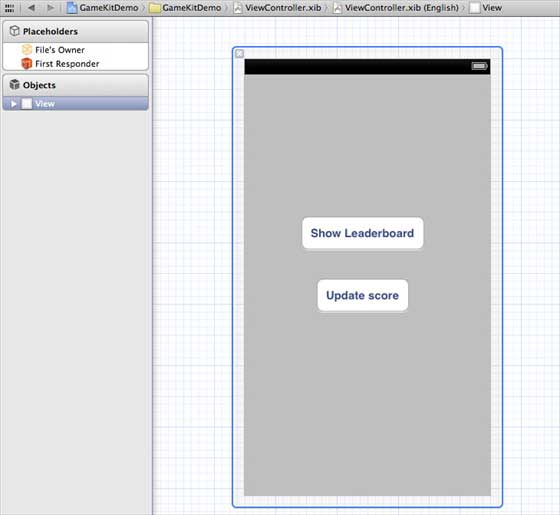
6.更新 ViewController.xib,如下所示
7.选择项目文件,然后选择目标,然后添加GameKit.framework
8.为已添加的按钮创建IBActions
9.更新ViewController.h文件,如下所示
#import <UIKit/UIKit.h>#import <GameKit/GameKit.h>@interface ViewController : UIViewController<GKLeaderboardViewControllerDelegate>-(IBAction)updateScore:(id)sender;-(IBAction)showLeaderBoard:(id)sender;@end
10.更新ViewController.m ,如下所示
#import "ViewController.h"@interface ViewController ()@end@implementation ViewController- (void)viewDidLoad{    [super viewDidLoad];    if([GKLocalPlayer localPlayer].authenticated == NO)    {      [[GKLocalPlayer localPlayer]
      authenticateWithCompletionHandler:^(NSError *error)      {         NSLog(@"Error%@",error);      }];    }    }- (void)didReceiveMemoryWarning{    [super didReceiveMemoryWarning];    // Dispose of any resources that can be recreated.}- (void) updateScore: (int64_t) score
forLeaderboardID: (NSString*) category{    GKScore *scoreObj = [[GKScore alloc]
    initWithCategory:category];
    scoreObj.value = score;
    scoreObj.context = 0;    [scoreObj reportScoreWithCompletionHandler:^(NSError *error) {        // Completion code can be added here        UIAlertView *alert = [[UIAlertView alloc]
        initWithTitle:nil message:@"Score Updated Succesfully"
        delegate:self cancelButtonTitle:@"Ok" otherButtonTitles: nil];        [alert show];    }];}-(IBAction)updateScore:(id)sender{    [self updateScore:200 forLeaderboardID:@"tutorialsPoint"];}-(IBAction)showLeaderBoard:(id)sender{    GKLeaderboardViewController *leaderboardViewController =    [[GKLeaderboardViewController alloc] init];
    leaderboardViewController.leaderboardDelegate = self;    [self presentModalViewController:
    leaderboardViewController animated:YES];}#pragma mark - Gamekit delegates- (void)leaderboardViewControllerDidFinish:(GKLeaderboardViewController *)viewController{    [self dismissModalViewControllerAnimated:YES];}@end
输出
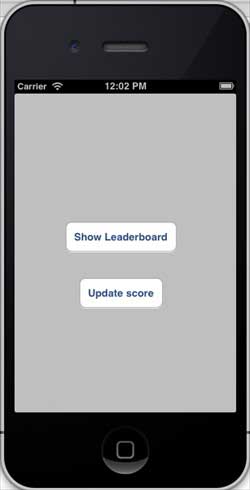
运行该应用程序,输出结果如下
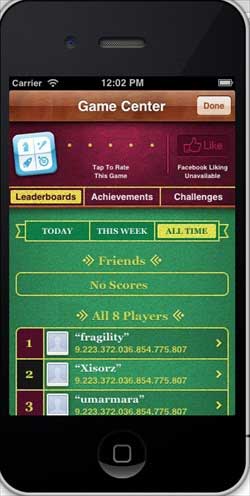
当我们单击显示排行榜时,屏幕显示如下:
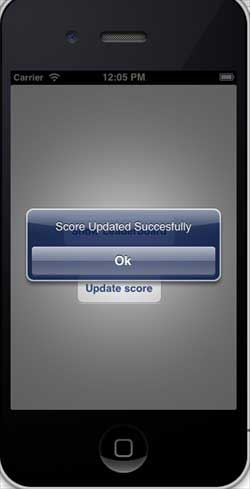
当我们点击更新分数,比分将被更新到我们排行榜上,我们会得到一个信息,如下图所示