






方法:1、利用setAttribute(),语法“元素对象.setAttribute("style","text-align:left")”;2、利用textAlign属性,语法“元素对象.style.textAlign="left";”。
本教程操作环境:windows7系统、javascript1.8.5版、Dell G3电脑。
JavaScript中实现文本左对齐
方法1:利用setAttribute()
html>


		<meta><style>
			div{
				border: 2px solid red;
				text-align: right;
			}
		</style><div>一个div元素</div><br><button> 让文本左对齐

			<script>
				function replaceMessage() {
					var div = document.getElementById("box");
					div.setAttribute("style", "text-align: left;");
				}
			</script></button>
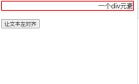
setAttribute() 方法添加指定的属性,并为其赋指定的值。如果这个指定的属性已存在,则仅设置/更改值。

方法2:利用style对象的textAlign属性
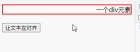
textAlign 属性用于控制元素中文本的对齐方式,当值设置为“left”则可把文本排列到左边。
html>


		<meta><style>
			div{
				border: 2px solid red;
				text-align: right;
			}
		</style><div>一个div元素</div><br><button> 让文本左对齐

			<script>
				function replaceMessage() {
					var div = document.getElementById("box");
					// div.setAttribute("style", "text-align: left;");
					div.style.textAlign="left";
				}
			</script></button>
【相关推荐:javascript学习教程】
Java免费学习笔记:立即使用
解锁 Java 大师之旅:从入门到精通的终极指南