





jQuery的insertBefore()方法是用来在一个指定的元素之前插入一些HTML内容,其使用语法是“$(content).insertBefore(target)”。

本文操作环境:Windows7系统、Dell G3电脑、jquery3.2.1版。
insertBefore()是jQuery的一个内置的方法,用来在一个指定的元素之前插入一些HTML内容。下面本篇文章就来给大家介绍一下insertBefore()的用法,希望对大家有所帮助。
jQuery的insertBefore()方法
insertBefore()方法将在每次出现指定元素之前插入HTML内容。【视频教程推荐:jQuery教程】
基本句式:
$(content).insertBefore(target)
说明:
content:表示需要在指定目标之前插入的HTML内容。
target:表示指定目标。
insertBefore()方法的使用示例
示例1:
html>


<meta><script></script><script>
$(document).ready(function() {
$(".demo").click(function() {
// insertBefore
$("<div>在PHP中文网中学习!").insertBefore("p");
});
});
</script><div>
<p>学习jQuery</p>
<div>单击此处</div>
</div>
效果图:

jQuery 1.12.4
下载
jQuery 1.12.4是jQuery 1.x系列的最后一个正式稳定版本,由jQuery团队于2016年发布。该版本主要面向需要兼容旧版浏览器环境的网站和Web应用,尤其适用于仍需支持Internet Explorer 6、Internet Explorer 7、Internet Explorer 8等老旧浏览器的项目。
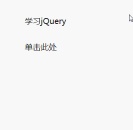
说明:
当 DOM(文档对象模型) 已经加载,并且页面(包括图像)已经完全呈现时,会发生 ready 事件。而,ready() 函数指定当 ready 事件发生时需要执行的代码。
$(".demo").click():表示当.demo元素发生点击事件时需要执行的代码。
示例2:
html>


<meta><script></script><script>
$(document).ready(function() {
$(".demo").click(function() {
// insertBefore
$("<div>在PHP中文网中学习!").insertBefore("p");
});
});
</script><div>
<p>学习jQuery</p>
<p>学习php</p>
<div>单击此处</div>
</div>
效果图:
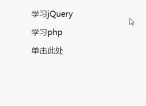
以上就是本篇文章的全部内容,希望能对大家的学习有所帮助。更多精彩内容大家可以关注php中文网相关教程栏目!!!


