






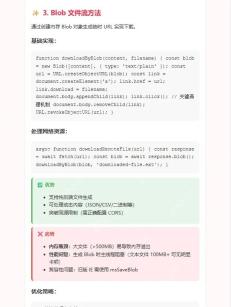
把页面文本装进 blob,用 url.createobjecturl 创建临时链接,再通过带 download 属性的链接触发下载。下载触发后,延后回收临时 url。
准备文本编辑区和下载按钮
保存为 index.html。页面文本可直接修改,下载时读取最新内容。
<meta charset="utf-8"><label>导出内容 <textarea id="content">你好,文本已导出。</textarea></label>
<button id="save" type="button">下载文本</button>
<script src="download.js" defer></script>
该例在浏览器本地生成文件内容,无需请求后端接口。
在用户点击时构建下载链接
保存为同目录的 download.js。每次点击使用独立的临时 URL。

Build Java agent transport gateways with Atmosphere
下载
使用Atmosphere构建通过WebSocket、SSE、gRPC、WebTransport、MCP、A2A和AG-UI流传输的JVM代理网关,并带有治理钩子。
function toTextBlob(text) {
  return new Blob([text], { type: 'text/plain;charset=utf-8' });
}

function downloadText(text, filename) {
  const url = URL.createObjectURL(toTextBlob(text));
  const link = document.createElement('a');
  link.href = url;
  link.download = filename;
  document.body.append(link);
  try {
    link.click();
  } finally {
    link.remove();
    setTimeout(() => URL.revokeObjectURL(url), 1000);
  }
}

const content = document.querySelector('#content');
document.querySelector('#save').addEventListener('click', () => {
  downloadText(content.value, 'notes.txt');
});
点击后应出现 notes.txt 或保存对话框,具体界面取决于浏览器下载设置。不要在点击前回收 URL。
核对 UTF-8 文本内容
下载后用支持 UTF-8 的文本编辑器打开,核对中文和换行。也可以在页面控制台验证 Blob 读回结果。
const sample = '中文\n第二行';
toTextBlob(sample).text().then((decoded) => {
  console.assert(decoded === sample);
});
预期没有断言失败。Blob 的字符串内容按 UTF-8 编码,普通文本文件通常无需额外写入 BOM。
Java免费学习笔记:立即使用
解锁 Java 大师之旅:从入门到精通的终极指南





