在接收 case 旁加入 default,就能用 select 做一次非阻塞接收。选中接收分支时用 value, ok 区分正常值和已关闭且读空的 channel。未就绪时立即走 default。
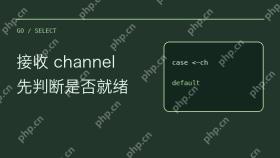
基础语法:利用 default 实现非阻塞检查
要判断一个 Channel 当前是否可以接收数据而不阻塞主流程,需要在 select 语句中定义接收操作,并紧随其后添加一个 default 分支。select 会随机选择一个可以运行的 case 执行。如果 Channel 中没有数据,接收操作无法完成,此时 select 不会等待,而是立即执行 default 分支。这是实现轮询或非阻塞逻辑的核心机制。
package main

import (
	"fmt"
)

func checkNonBlocking(ch chan int) {
	select {
	case val := <p><img src="https://img.php.cn/upload/image/195/781/973/1794892667181340.jpg?x-oss-process=image/resize,p_40" alt=""></p><div class="aritcle_card flexRow artxards">
											<div class="artcardd flexRow">
												<a class="aritcle_card_img" rel="nofollow" href="/xiazai/skill12846" title="Chatwoot Open Source Customer Engagement and Omnichannel Support Platform"><img
														src="https://img.php.cn/upload/skill/001/246/273/6adaf20e695c2374.jpg" alt="Chatwoot Open Source Customer Engagement and Omnichannel Support Platform" onerror="this.onerror='';this.src='/static/lhimages/moren/morentu.png'" ></a>
												<div class="aritcle_card_info flexColumn">
													<a rel="nofollow" href="/xiazai/skill12846" title="Chatwoot Open Source Customer Engagement and Omnichannel Support Platform" class="overflowclass">Chatwoot Open Source Customer Engagement and Omnichannel Support Platform</a>
													<p class="overflowclass">Chatwoot 是一个自托管、开源的客户参与平台,提供统一代理仪表板中的实时聊天、电子邮件、社交媒体和消息传递渠道支持。它作为 Intercom、Zendesk 和 Freshdesk 的替代方案,具有完整的 API 访问权限用于自动化。</p>
												</div>
												<a rel="nofollow" href="/xiazai/skill12846" title="Chatwoot Open Source Customer Engagement and Omnichannel Support Platform" class="aritcle_card_btn flexRow flexcenter"><b></b><span>下载</span>
												</a>
											</div>
										</div><h2>状态区分:处理关闭与零值歧义</h2><p>仅靠 <code>val, ok :=  可以在普通接收中判断 Channel 是否关闭(ok 为 false),但在 <code>select</code> 中,如果 Channel 已关闭且缓冲区为空,所有针对该 Channel 的接收 case 都会立即就绪。这意味着如果 Channel 关闭且无数据,<code>select</code> 可能会进入该 case,但取出的值是零值。为了准确区分‘收到零值’和‘Channel 关闭’,必须使用逗号-ok 惯用法。此外,需警惕滥用 <code>default</code> 导致 CPU 空转,仅在必要时使用非阻塞检查。</code></p><pre class="brush:php;toolbar:false;">package main

import (
	"fmt"
)

func analyzeChannelState(ch chan int) {
	select {
	case val, ok := <h2>完整验证:模拟发送、关闭与空转场景</h2><p>以下代码展示了三种典型场景的验证过程。首先创建一个带缓冲的 Channel,分别测试有数据、无数据以及关闭后的行为。注意观察输出中对于零值数据的正确处理,以及关闭后再次尝试接收时的状态反馈。此示例旨在帮助开发者理解在不同生命周期阶段,<code>select</code> 与 <code>default</code> 的配合行为。</p><pre class="brush:php;toolbar:false;">package main

import (
	"fmt"
	"time"
)

func main() {
	// 场景1:Buffered Channel 中有数据
	chWithData := make(chan int, 1)
	chWithData <p>运行上述代码,预期输出如下:

--- 场景1:Channel 中有数据 ---
[成功] 收到: 42

--- 场景2:Channel 为空 ---
[默认] 无数据,非阻塞退出

--- 场景3:Channel 已关闭 ---
[失败] Channel 已关闭,ok=false

请注意,在场景 3 中,尽管 Channel 已关闭,<code>select</code> 仍然进入了接收 case,因为关闭的 Channel 上的接收操作被视为‘就绪’,只是返回的值是零值且 ok 为 false。这验证了通过 <code>ok</code> 变量判断关闭状态的必要性。</p>