





win10 安装 powershell 7,微软推荐在 windows 客户端优先使用 winget,也可以下载 msi 安装包。powershell 7 会和 windows powershell 5.1 并行存在,不会直接替换系统自带版本。
搜索安装包
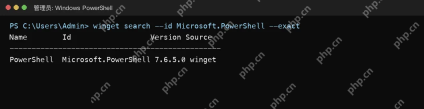
打开 Windows PowerShell 或 Windows Terminal,先运行 winget search --id Microsoft.PowerShell --exact,确认仓库里能找到 Microsoft.PowerShell。
执行安装命令
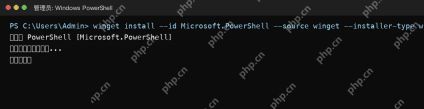
安装稳定版可运行 winget install --id Microsoft.PowerShell --source winget。如果需要 MSI 形态,可按微软文档追加 --installer-type wix。

启动PowerShell 7
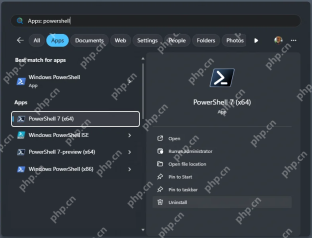
安装完成后,在开始菜单搜索 PowerShell 7 或运行 pwsh。它与 Windows PowerShell 5.1 并行,旧脚本若依赖 5.1 模块,仍可继续用系统自带 PowerShell。
注意事项
PowerShell 7 的安装命令和版本会随微软发布更新变化,正式部署前应再核对 Microsoft Learn 页面。





