





需先确认nginx编译时启用--with-debug:linux执行nginx -v | grep with-debug,windows默认支持;再在http/server/location块中配置error_log path debug,并确保路径权限正确,推荐用debug_connection限制ip范围以避免日志泛滥。
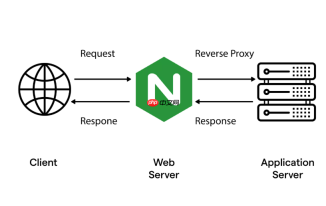
要让 Nginx 错误日志输出更详细的调试信息,关键在于两步:确保 Nginx 编译时启用了 --with-debug 选项,并在配置中将 error_log 级别设为 debug。
确认 Nginx 支持 debug 日志
不是所有 Nginx 二进制文件都支持 debug 级别。需验证:
- Linux 下运行
nginx -V 2>&1 | grep -o with-debug,若输出with-debug则支持 - Windows 版本默认支持 debug,无需额外编译
- 若不支持,需重新编译:下载源码后执行
./configure --with-debug && make && sudo make install
修改 error_log 指令启用 debug 级别
在 http、server 或 location 块中设置:

- 基础写法:
error_log /var/log/nginx/debug.log debug; - 可指定作用域:比如只对某个 API 接口开启 debug,就在对应
location内写该行 - 注意路径权限:确保 Nginx 工作进程(如 www-data 或 nginx 用户)有写入目标目录的权限
按需限制 debug 日志范围(避免泛滥)
全站开 debug 容易撑爆磁盘,推荐以下方式缩小影响面:
- 用
debug_connection仅对特定客户端 IP 开启:debug_connection 192.168.1.100;或debug_connection 10.0.0.0/8; - 搭配
if或map实现条件触发(需配合自定义变量逻辑) - 临时使用:改完配置后
sudo nginx -s reload,问题复现后立刻调回warn或error
查看与验证 debug 日志效果
调试日志内容远比普通错误日志密集,包含连接建立、SSL 握手、rewrite 匹配、模块调用等内部流程:
- 实时跟踪:
tail -f /var/log/nginx/debug.log - 触发典型动作(如访问一个 404 路径或触发 rewrite 规则),观察日志中是否出现
http log handler、rewrite phase、event timer add等关键词 - 若无输出,检查是否漏掉
--with-debug或日志路径写错/无权限


