





nginx伪静态通过location匹配+try_files或rewrite实现,优先用try_files避免循环重写,静态资源需前置声明,php入口统一转发,路由解析由后端框架完成。
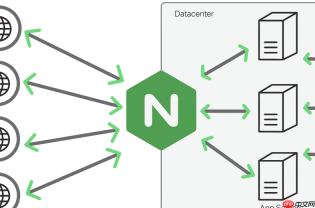
在 Nginx 中通过 location 配合 rewrite 或 try_files,可以干净地实现博客系统的伪静态(如将 /post/123 映射为 /index.php?p=123),关键在于匹配路径、提取参数、正确转发,同时避免循环重写和覆盖其他资源。
用正则 location 匹配并 rewrite 到入口脚本
适用于常见博客结构(如文章页 /post/123、分类页 /category/web、归档页 /archive/2024/05):
- 使用
location ~ ^/post/(\d+)$捕获文章 ID,重写为 PHP 入口带参数 -
location ~ ^/category/([^/]+)$提取分类 slug,转为index.php?c=$1 - 所有 rewrite 后加
last(内部重发)或break(终止匹配),推荐last以支持后续 location 处理 - 注意:rewrite 规则需放在 server 块内,且优先级高于普通前缀 location;若与静态文件 location 冲突,把静态规则(如 /css/、/img/)放在前面
用 try_files + named location 实现更安全的路由分发
比纯 rewrite 更清晰可控,适合 Laravel、Typecho、WordPress 等依赖前端控制器的博客系统:

- 主 location 匹配所有非静态请求:
location / { try_files $uri $uri/ @php; } - 定义命名 location
@php,统一转发到 index.php:location @php { rewrite ^(.*)$ /index.php?$query_string last; } - 再单独配置静态资源 location(如
location ~ \.(js|css|png|jpg|gif)$),加expires和add_header提升性能 - 这样既避免了大量 rewrite,又保证了 .php 文件不被直接执行(可配合
fastcgi_pass仅处理 index.php)
排除真实文件和目录,防止伪静态干扰资源加载
伪静态规则常导致 CSS/JS 图片 404,本质是 Nginx 错把静态路径当动态路由重写了:
- 确保
location /块中try_files第一参数是$uri—— 它会先检查物理文件是否存在 - 不要写
location / { rewrite ... }这类无条件重写,它会拦截所有请求(包括 /favicon.ico) - 对已知静态路径(如 /admin、/wp-admin)显式声明
location ^~ /admin { },阻止正则 location 匹配 - 可加日志调试:
log_not_found off;关闭 404 日志刷屏,或用error_log /var/log/nginx/rewrite.log notice;跟踪 rewrite 流程
WordPress / Typecho 等常见博客的典型配置片段
以 Typecho 为例(根目录部署,伪静态启用):
location / { try_files $uri $uri/ /index.php?$query_string; }location ~ \.php$ { include fastcgi_params; fastcgi_param SCRIPT_FILENAME $document_root$fastcgi_script_name; fastcgi_pass php-fpm:9000; }- 无需额外 rewrite —— Typecho 的 index.php 会自动解析
REQUEST_URI(Nginx 已通过$query_string透传) - WordPress 同理,但需确保
fastcgi_param PATH_INFO $fastcgi_path_info;存在(用于多级 permalink)
伪静态不是功能开关,而是 URL 与后端逻辑的映射约定。Nginx 只负责“把请求送到哪”,真正的路由解析由 PHP 框架完成。写好 location,关键是理解匹配顺序、避免覆盖、让静态资源走捷径、动态请求进入口,不复杂但容易忽略细节。


