





nginx 通过 rewrite 将 /2024/03/25/my-first-post 映射为 /index.php?year=2024&month=03&day=25&slug=my-first-post 并保留原始查询参数,再由 php 根据日期和 slug 查询文章 id;旧链接 /post?id=123 应由后端返回 301 跳转至新地址。
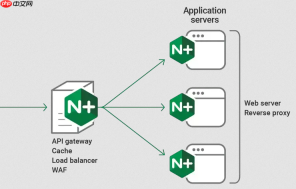
要把博客文章 ID(比如 /post?id=123)转成类似 /2024/03/25/my-first-post 这样的友好链接,核心不是“生成新路径”,而是让 Nginx 把用户访问的友好路径,正确转发给后端处理——后端再根据日期和 slug 查出对应 ID。Nginx 本身不查数据库,只做路由映射。
用 rewrite 捕获年月日和标题,转为带参数的内部请求
假设你的 PHP 脚本支持按日期+slug 查询文章,例如 /index.php?year=2024&month=03&day=25&slug=my-first-post,那么配置可以这样写:
rewrite ^/(\d{4})/(\d{2})/(\d{2})/([^/]+)$ /index.php?year=$1&month=$2&day=$3&slug=$4 last;
说明:
• ^/(\d{4})/(\d{2})/(\d{2})/([^/]+)$ 精确匹配四段结构,避免误伤 /2024/summary 这类路径
• $1$2$3 分别捕获年、月、日;$4 捕获标题 slug(不含斜杠)
• last 表示重写后,用新 URI 重新进入 location 匹配,确保能走到 PHP 处理块
保留原始查询参数(如 utm_source、from=weibo)
如果用户访问的是 /2024/03/25/my-first-post?utm_medium=email,你想把参数一并传给后端:

rewrite ^/(\d{4})/(\d{2})/(\d{2})/([^/]+)$ /index.php?year=$1&month=$2&day=$3&slug=$4&$query_string last;
注意:
• 必须用 &$query_string,不能写成 ?&$query_string 或 ?$query_string,否则会多出一个问号导致解析失败
• $query_string 是 Nginx 内置变量,自动包含 URL 中 ? 后全部内容
兼容旧 ID 链接,做 301 跳转引导用户和搜索引擎
为了让老链接(如 /post?id=123)自动跳到新地址,你需要另一条规则,放在上面 rewrite 之前(因为 location 内规则自上而下执行):
- 先在后端接口中提供一个轻量级跳转逻辑:访问
/post?id=123时,PHP 查出该文章的 date 和 slug,返回 301 Location 头 - 或直接在 Nginx 中用 if + rewrite(仅限简单场景):
if ($args ~* "^id=(\d+)$") {
rewrite ^/post$ /2024/03/25/my-first-post? permanent;
}
但这种方式无法动态查数据库,实际中更推荐由后端完成跳转,Nginx 只负责友好路径的入站转发
确保 location 块能正确承接重写后的请求
上面 rewrite 末尾用了 last,意味着新 URI(如 /index.php?...)会重新匹配 location。所以必须有对应的 location 块来处理 PHP:
location ~ \.php$ {
fastcgi_pass 127.0.0.1:9000;
include fastcgi_params;
}
同时确认 fastcgi_params 中已包含:fastcgi_param QUERY_STRING $query_string;
这样才能保证 $_GET['year']、$_GET['slug'] 在 PHP 中可正常读取


