





Nginx 中强制 HTTPS 跳转应使用 301 永久重定向,在 listen 80 的 server 块中通过 return 301 实现,保留 $request_uri 路径参数,HTTPS server 块独立配置 SSL 且不参与跳转,避免循环重定向。
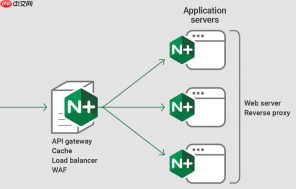
在 Nginx 中实现 HTTPS 强制跳转,最常用、最推荐的方式是用 301 永久重定向,把所有 HTTP 请求(端口 80)无条件跳转到对应的 HTTPS 地址。关键在于:只在 HTTP server 块中配置重定向,HTTPS server 块保持独立且不参与跳转逻辑。
基础写法:HTTP server 块内 return 301
这是最简洁、高效、符合 Nginx 最佳实践的方式:
server {
    listen 80;
    server_name example.com www.example.com;
<pre class="brush:php;toolbar:false;"># 强制跳转到 HTTPS,保留原始请求路径和参数
return 301 https://$server_name$request_uri;
}

-
$server_name 会使用当前匹配的域名(如 example.com),适合单域名;若需固定跳转到主域名(比如统一跳
https://example.com),可直接写死 -
$request_uri 包含完整路径 + 查询参数(如
/path?k=v),确保用户访问http://example.com/login?ref=abc会跳转到https://example.com/login?ref=abc - 不用
rewrite,return更轻量、执行更快,且不会触发 location 重匹配
多域名或需统一跳转到主域名
如果绑定了多个域名(如 example.com 和 www.example.com),但希望全部跳转到其中一个(比如 https://example.com),可以这样写:
server {
    listen 80;
    server_name example.com www.example.com;
<pre class="brush:php;toolbar:false;">if ($host = 'www.example.com') {
    return 301 https://example.com$request_uri;
}
return 301 https://www.php.cn/link/21964698b7df1cefa6befc89697f5293;
}
更推荐的做法是拆成两个 server 块,语义更清晰、性能略优:
server {
    listen 80;
    server_name www.example.com;
    return 301 https://example.com$request_uri;
}
<p>server {
listen 80;
server_name example.com;
return 301 <a href="https://www.php.cn/link/21964698b7df1cefa6befc89697f5293">https://www.php.cn/link/21964698b7df1cefa6befc89697f5293</a>;
}</p>
HTTPS server 块只需正常配置,不加 redirect
HTTPS 的 server 块只负责处理加密请求,无需任何跳转指令:
server {
    listen 443 ssl http2;
    server_name example.com www.example.com;
<pre class="brush:php;toolbar:false;">ssl_certificate /path/to/fullchain.pem;
ssl_certificate_key /path/to/privkey.pem;

# 其他配置:root、location、PHP 等
root /var/www/html;
index index.html;

location / {
    try_files $uri $uri/ =404;
}
}
- 确保 SSL 证书路径正确,否则 Nginx 启动会失败
- 不要在 HTTPS server 块里写
return 301或rewrite跳自己,会造成循环重定向
验证与注意事项
- 修改后运行
nginx -t检查语法,再nginx -s reload生效 - 用
curl -I http://example.com确认返回HTTP/1.1 301 Moved Permanently和正确的Location头 - 浏览器首次访问 HTTP 会跳转,之后可能因 HSTS 缓存直接走 HTTPS —— 这是正常现象,不代表配置失效
- 避免在 location 块里做 301 跳转(如
location / { return 301 ... }),容易遗漏子路径或干扰其他规则


