





Tippy 默认生成的弹出内容是动态插入 DOM 的,因此直接使用 $(selector).on('click') 绑定事件会失效;需采用事件委托或在 Tippy 实例创建后动态绑定,或使用内联 onclick 属性确保事件可触发。
tippy 默认生成的弹出内容是动态插入 dom 的,因此直接使用 $('[name="test-button"]').on('click') 绑定事件会失效;需采用事件委托或在 tippy 实例创建后动态绑定,或使用内联 onclick 属性确保事件可触发。
在 Tippy 中嵌入按钮并响应点击事件,核心难点在于:弹出层(tooltip)的内容是在用户交互(如 hover 或 click)时才动态渲染到 DOM 中的,而非页面初始加载时就存在。这意味着你无法在 $(document).ready() 中直接通过常规选择器绑定事件——因为此时按钮尚未挂载到文档中。
✅ 推荐解决方案:使用事件委托(推荐且更符合现代实践)
将事件监听器绑定到静态父容器(如
),利用事件冒泡机制捕获动态生成的按钮点击:$(document).ready(function() {
// 初始化 Tippy
$('[name="tippy"]').each(function() {
tippy(this, {
allowHTML: true,
content: document.getElementById('template-test').innerHTML,
interactive: true,
placement: 'top',
trigger: 'mouseenter'
});
});
// ✅ 正确方式:事件委托(监听 body,代理到动态按钮)
$('body').on('click', '[name^="test-button"]', function(e) {
const buttonName = $(this).attr('name');
console.log('Clicked button:', buttonName);
alert(`Button ${buttonName} clicked!`);
});
});
? 说明:[name^="test-button"] 表示匹配所有 name 属性以 "test-button" 开头的元素(如 test-button-1、test-button-2),兼顾语义清晰与扩展性。
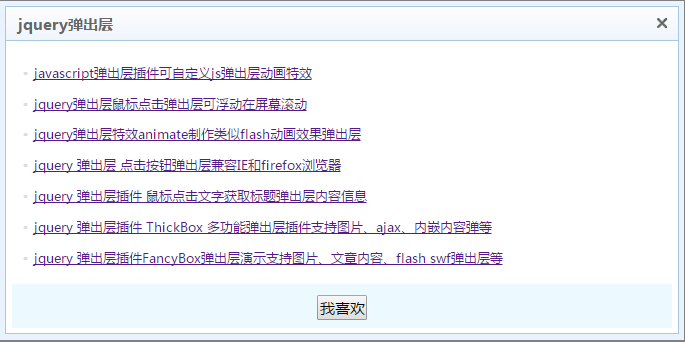 jQuery点击事件遮罩弹出层可移动特效代码下载
"jQuery点击事件遮罩弹出层可移动特效代码下载。一款jquery弹出层插件制作注册表单点击按钮弹出层表单提交效果,可支持拖到的jQuery弹出层效果。标题、高度、宽度等可以自定义弹出层js插件。
⚠️ 注意事项
- 避免内联 onclick(不推荐长期使用):虽然示例中通过
- interactive: true 必须启用:否则 Tippy 会禁用鼠标交互,导致按钮无法聚焦/点击。
- 不要遗漏 allowHTML: true:否则 中的 HTML 将被当作纯文本渲染,按钮不会生效。
- 慎用 $(document).on(...):若页面存在大量动态内容,建议限定委托范围(如 $('#container').on(...)),提升性能。
✅ 进阶方案:在 Tippy onShow 生命周期中绑定事件(更精准控制)
若需为每个 tooltip 独立绑定逻辑(例如传入上下文数据),可利用 Tippy 的 onShow 回调:
$('[name="tippy"]').each(function(index) {
  tippy(this, {
    allowHTML: true,
    content: document.getElementById('template-test').innerHTML,
    interactive: true,
    placement: 'top',
    trigger: 'mouseenter',
    onShow(instance) {
      // 每次 tooltip 显示时,为其内部按钮绑定一次事件(避免重复绑定)
      const buttons = instance.popper.querySelectorAll('[name^="test-button"]');
      buttons.forEach(btn => {
        btn.addEventListener('click', function() {
          console.log('From tooltip #', index + 1, 'clicked:', this.name);
        }, { once: true }); // 使用 {once: true} 防止重复监听
      });
    }
  });
});
总结
| 方案 | 适用场景 | 优点 | 缺点 |
|---|---|---|---|
| 事件委托($('body').on(...)) | 通用、简单交互 | 简洁高效,一次绑定全局生效 | 无法直接获取 tooltip 实例上下文 |
| onShow 中动态绑定 | 需要 tooltip 上下文或个性化逻辑 | 精准可控,支持实例级状态 | 代码稍复杂,需注意重复绑定 |
无论选择哪种方式,请始终确保 interactive: true 和 allowHTML: true 同时启用,并优先使用事件委托——它更健壮、易维护,也符合现代前端开发最佳实践。








