





Nginx 通过 proxy_cache_bypass 指令实现实时强制回源调试,当请求头 X-Debug-Bypass-Cache 非空且非"0"时跳过缓存直连后端,支持变量与多条件或逻辑,配合响应头 X-Cache 可追踪生效状态。
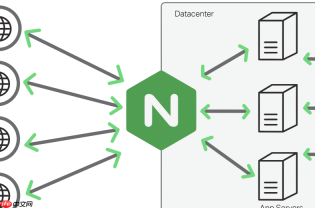
要实现实时强制回源调试,核心是让 Nginx 在特定条件下跳过 proxy_cache,直接向后端发起请求。proxy_cache_bypass 正是为此设计的指令,它配合自定义请求 Header(如 X-Debug-Bypass-Cache: 1)可实现按需、无侵入、无需改配置重启的调试方式。
理解 proxy_cache_bypass 的触发逻辑
该指令的值是一个布尔表达式列表,只要其中任一值为非空字符串(且不为 "0"),Nginx 就会跳过缓存,直接代理请求到 upstream。它不关心值的内容,只判断“是否存在且非零”。
- 支持变量,例如
$http_x_debug_bypass_cache表示读取请求头X-Debug-Bypass-Cache - 多个条件用空格分隔,满足任一即 bypass:
proxy_cache_bypass $http_x_debug_bypass_cache $arg_nocache; - 注意:它仅影响缓存查找阶段,不影响
proxy_cache_valid或缓存写入逻辑
在 location 中正确配置 bypass 规则
确保 proxy_cache_bypass 出现在启用缓存的 location 块中,并与 proxy_cache、proxy_cache_key 等协同工作:
location / {
    proxy_pass http://backend;
    proxy_cache my_cache;
    proxy_cache_key "$scheme$request_method$host$request_uri";
    proxy_cache_valid 200 302 10m;
<pre class="brush:php;toolbar:false;"># 关键:当请求头存在且非空/非"0"时强制回源
proxy_cache_bypass $http_x_debug_bypass_cache;

# 可选:同时支持 URL 参数触发(便于浏览器手动测试)
# proxy_cache_bypass $http_x_debug_bypass_cache $arg_cache_bypass;
}

客户端调试:用 curl 或浏览器快速验证
无需修改服务端配置,只需在请求中带上指定 Header 即可实时触发回源:
- curl 示例:
curl -H "X-Debug-Bypass-Cache: 1" https://example.com/api/data - 浏览器开发者工具中,在 Network → Headers → Edit and Resend,添加该 Header 后重发
- 配合响应头观察是否生效:检查后端返回的
X-Cache: MISS或X-Cache: BYPASS(需后端或 Nginx 自行注入)
增强可观测性:让 bypass 行为可追踪
在响应头中显式标记缓存状态,方便前后端联调确认 bypass 是否真正生效:
proxy_hide_header X-Cache;
add_header X-Cache $upstream_cache_status always;
<h1>可选:额外标记 bypass 来源</h1><p>map $http_x_debug_bypass_cache $bypass_reason {
default "";
"~.+" "header";
}
add_header X-Cache-Bypass-Reason $bypass_reason always;</p>
这样收到响应时看到 X-Cache: BYPASS 和 X-Cache-Bypass-Reason: header 就说明规则已命中。


