





核心是用map指令将UA归类为稳定变量(如$is_mobile或$site_root),再于location中引用;需置于http块,支持try_files静默切换、root动态路径及Vary头优化CDN缓存。
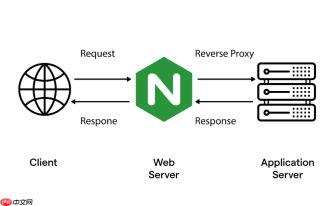
用 map 指令实现基于 User-Agent 的移动端与 PC 端适配,核心是把千变万化的 UA 字符串归类为几个稳定、可复用的变量(比如 $is_mobile 或 $site_root),再在 location 或响应逻辑中引用它。这种方式比 if 更高效、更安全,也更适合生产环境。
一、在 http 块中定义设备类型变量
map 必须放在 http 块内(全局生效),不能写在 server 或 location 里。推荐用小写正则 + 多关键词覆盖常见移动标识:
-
~*[Mm]obi|[Aa]ndroid|[Ii]phone|[Ii]pad|[Ww]indows [Pp]hone|UC|Kindle匹配主流移动 UA -
default 0表示非移动设备(即 PC 端)默认值 - 变量名建议语义清晰,如
$is_mobile或$device_class
示例配置:
map $http_user_agent $is_mobile {
    default 0;
    ~*[Mm]obi      1;
    ~*[Aa]ndroid    1;
    ~*[Ii]phone     1;
    ~*[Ii]pad       1;
    ~*[Ww]indows [Pp]hone 1;
    ~*UC           1;
    ~*Kindle       1;
}
二、配合 try_files 实现静默页面切换
不跳转、不改 URL,只让 Nginx 内部优先找移动端文件。适合静态站点,且 PC 与移动页结构一致(如都用 /index.html):
- 利用
$is_mobile拼接路径前缀,例如/m$uri/index.html - 按顺序尝试:移动版 → PC 版 → 404
- 确保
location /中启用index index.html
示例:
location / {
    index index.html;
    try_files /m$uri/index.html /m$uri $uri/index.html $uri =404;
}
三、配合 root 指令做目录级资源隔离
当 PC 和移动页面完全分开存放(如 /usr/share/nginx/html/pc 和 /usr/share/nginx/html/mobile),可用 root 动态切换根路径:
- 先用 map 定义
$site_root,值为绝对路径 - 在
location /中直接写root $site_root; - 避免使用 if,规避 location 中 if 的限制和性能损耗
示例:
map $http_user_agent $site_root {
    default "/usr/share/nginx/html/pc";
    ~*(Android|iPhone|iPad) "/usr/share/nginx/html/mobile";
}

server {
    location / {
        root $site_root;
        index index.html;
    }
}
四、配合 Vary 响应头提升 CDN 缓存效率
如果内容已差异化,必须让 CDN 知道“移动端返回的是不同版本”。但不能直接 Vary: User-Agent(缓存会爆炸):
- 用 map 生成稳定枚举值(如
$device_type取值mobile/desktop) - 在响应头中添加
add_header Vary "X-Device-Type"; - 同时用
proxy_set_header X-Device-Type $device_type;透传给后端(如需)
这样 CDN 能基于有限的设备类型做缓存分片,兼顾准确性和命中率。


