





Nginx可通过log_format配置JSON日志格式,启用access_log指定JSON输出,并对接ELK、Loki、Graylog等系统;需注意字段引号规范、时间戳格式、缓冲刷新及常见解析问题。
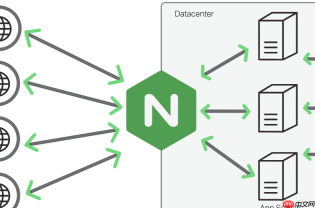
将 Nginx 日志以 JSON 格式输出,是对接 ELK、Loki、Graylog 等现代日志系统最直接、可靠的方式。核心在于通过 log_format 自定义结构化格式,并确保字段语义清晰、无嵌套歧义、时间戳可被日志系统自动识别。
一、Nginx 配置 JSON 日志格式
在 http 或 server 块中定义 log_format,使用双引号包裹 key,反斜杠转义内部双引号,避免换行(Nginx 不支持多行 format):

使用约定式提交(Conventional Commits)生成标准化的 Git 提交信息。适用于以下场景: (1) 暂存更改时需要提交信息; (2) 审查 diff 时希望获得结构化摘要; (3) 编写 PR 描述或变更日志(changelog)条目; (4) 用户明确要求“为本次更改编写提交信息”。 该功能会分析已暂存/未暂存的 diff,并生成按类型(type)划分范围的提交信息。
log_format json '{"time_local":"$time_local",'
                 '"remote_addr":"$remote_addr",'
                 '"remote_user":"$remote_user",'
                 '"request":"$request",'
                 '"status":$status,'
                 '"body_bytes_sent":$body_bytes_sent,'
                 '"http_referer":"$http_referer",'
                 '"http_user_agent":"$http_user_agent",'
                 '"http_x_forwarded_for":"$http_x_forwarded_for",'
                 '"request_time":$request_time,'
                 '"upstream_response_time":"$upstream_response_time",'
                 '"upstream_addr":"$upstream_addr"}';
注意:
- 所有字符串值必须用双引号包裹,数字字段(如 $status、$body_bytes_sent)不加引号,便于日志系统做数值聚合;
- $upstream_response_time 可能为空或含多个值(负载均衡场景),建议用 "$upstream_response_time" 保持字符串类型,后续由日志系统清洗;
- 时间字段推荐同时保留 $time_local(可读)和 $time_iso8601(标准 ISO 格式,更易解析),例如追加 "time_iso8601":"$time_iso8601"。
二、启用 JSON 日志并关闭非结构化日志
在需要采集的 server 或 location 块中指定 access_log 使用该格式,并禁用默认日志:
- 用
access_log /var/log/nginx/access.json json buffer=64k flush=5s;启用带缓冲的 JSON 日志,减少 I/O; - 确认没有其他
access_log指令覆盖该配置(尤其检查 http/server 级别是否残留默认日志); - 重启 Nginx:
nginx -t && systemctl reload nginx,验证日志文件是否生成合法 JSON 行(每行一个 JSON 对象)。
三、对接主流日志系统的要点
ELK(Filebeat + Logstash/Elasticsearch):
- Filebeat 可直接用 json.keys_under_root: true 解析单行 JSON;
- 若用 Logstash,推荐跳过 codec/json,改用 filter { json { source => "message" } },避免 double-parse 错误。
Loki(配合 Promtail):
- Promtail 默认支持 JSON 行日志,需在 scrape_configs 中设置 pipeline_stages 的 json stage 提取字段;
- 建议提取 status、method(从 request 中正则切分)、path 等作为 labels,提升查询效率。
Graylog:
- 使用 GELF 输入时,Nginx 原生不支持 GELF 协议,需通过 Filebeat 的 output.gelf 转发,或用 rsyslog + omgelf;
- 更简单方式:用 Graylog 的 Beats 输入,配合 Filebeat 的 JSON 解析 pipeline。
四、常见问题与规避建议
-
字段含换行或双引号导致 JSON 不合法:Nginx 变量本身不会注入换行,但
$request、$http_user_agent可能含双引号。可在 log_format 中用$escaped_request(需自定义 map 模块转义)或接受部分字段被截断——多数日志系统对单字段解析失败会丢弃该字段而非整行; -
日志时间与系统时间偏差大:统一使用
$time_iso8601字段,并在日志系统中将其设为事件时间字段(@timestamp),而非采集时间; -
高并发下日志写入延迟或丢失:启用
buffer和flush参数;若仍不足,考虑将日志输出到 syslog(access_log syslog:server=127.0.0.1:514,json),由 rsyslog 做可靠转发。


