





必须用 Type=forking,因为 nginx 启动后父进程立即退出,systemd 需通过 PIDFile 获取真正主进程 PID 并监控;否则按 Type=simple 会误判失败,Type=notify 则因无通知而超时。
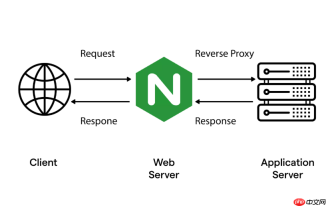
nginx 默认以守护进程(daemon)方式运行,启动时会 fork 出子进程后让父进程退出。systemd 要正确管理它,就必须理解并适配这种启动行为——Type=forking 就是为此设计的机制。
为什么必须用 Type=forking?
nginx 启动命令(如 /usr/local/nginx/sbin/nginx)执行后,会立即 fork 一个 master 进程,然后原进程(即 systemd 启动的初始进程)退出。systemd 若按默认的 Type=simple 处理,会认为“进程退出 = 服务失败”,从而标记为 failed。
而 Type=forking 明确告诉 systemd:“请等待 ExecStart 启动的进程主动退出;退出成功(status=0)后,再从指定的 PIDFile 中读取真正的主进程 PID,并以此作为服务的 Main PID 进行后续监控。”
Type=forking 的关键协作要素
仅设 Type=forking 不够,还需三个要素严格匹配:
-
PIDFile 路径必须与 nginx 编译时 --pid-path 完全一致,例如
--pid-path=/usr/local/nginx/logs/nginx.pid,否则 systemd 找不到主进程 PID; - ExecStart 启动命令不能加 -g daemon off,否则 nginx 不 fork、不退出父进程,systemd 会一直卡在 activating 状态;
- 确保 nginx 有权限写入 PIDFile 所在目录,常见问题:目录属主为 root 但 nginx 以普通用户运行,导致 pid 文件创建失败。
systemd 在 forking 模式下的实际判断逻辑
以 systemctl start nginx 为例,systemd 会:
- fork 一个子进程执行
ExecStart命令; - 等待该子进程退出(即 nginx 的“中间父进程”退出),退出码为 0 才视为启动阶段成功;
- 接着读取
PIDFile中记录的数字,确认该 PID 对应的进程正在运行且属于 nginx; - 将该 PID 记为 Main PID,并开始监控其存活状态(如自动重启、资源限制等)。
对比其他 Type 的典型误用场景
若错误使用 Type=simple:
- systemd 把 nginx 启动后立即退出的父进程当成服务本体,发现它没了就报 “failed”;
- status 输出中看不到 Main PID,只有 “start-limit-hit” 或 “exited” 状态。
若错误使用 Type=notify:
- nginx 默认不发送 sd_notify() 信号,systemd 会超时等待,最终启动失败;
- 除非你打过补丁或使用了支持 notify 的定制版 nginx。


