






需在Nginx中完整配置跨域响应头并处理OPTIONS预检请求:设置Access-Control-Allow-Origin(匹配前端源)、Credentials、Methods、Headers,用if拦截OPTIONS返回204,并避免header重复或协议/地址不匹配。
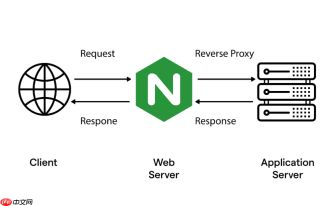
在 macOS 下用 Nginx 做本地开发代理时,前端请求后端接口常遇到跨域问题。核心是正确配置 Access-Control-Allow-Origin 响应头,但不能只加这一项——浏览器会校验预检(OPTIONS)请求、凭证支持、允许方法等配套设置。
基础跨域响应头配置
在 Nginx 的 server 或 location 块中添加以下指令:
-
允许指定源(推荐用于开发环境):
add_header 'Access-Control-Allow-Origin' 'http://localhost:3000';
注意:不能写成*同时又启用credentials(如带 cookie 或 Authorization 头) -
允许携带凭证(如需登录态):
add_header 'Access-Control-Allow-Credentials' 'true'; -
允许的请求方法和头字段:
add_header 'Access-Control-Allow-Methods' 'GET, POST, OPTIONS, PUT, DELETE';
add_header 'Access-Control-Allow-Headers' 'DNT,User-Agent,X-Requested-With,If-Modified-Since,Cache-Control,Content-Type,Range,Authorization';
必须处理 OPTIONS 预检请求
浏览器对非简单请求(如含自定义 header、PUT/DELETE 方法)会先发 OPTIONS 请求。Nginx 需直接响应,不转发给后端:
- 在对应 location 块内添加:
if ($request_method = 'OPTIONS') {
add_header 'Access-Control-Allow-Origin' 'http://localhost:3000';
add_header 'Access-Control-Allow-Credentials' 'true';
add_header 'Access-Control-Allow-Methods' 'GET, POST, OPTIONS, PUT, DELETE';
add_header 'Access-Control-Allow-Headers' 'DNT,User-Agent,X-Requested-With,If-Modified-Since,Cache-Control,Content-Type,Range,Authorization';
add_header 'Access-Control-Max-Age' 1728000;
add_header 'Content-Type' 'text/plain; charset=utf-8';
add_header 'Content-Length' 0;
return 204;
} - 确保该 if 块位于 proxy_pass 之前,且不被其他 rewrite 规则干扰
避免常见坑点
-
重复添加 header 导致报错:如果后端也返回了
Access-Control-Allow-Origin,Nginx 再 add_header 会造成响应头重复。可在 location 中加:
proxy_hide_header 'Access-Control-Allow-Origin'; -
localhost 和 127.0.0.1 被视为不同源:前端若用
http://127.0.0.1:3000,Nginx 的 allow-origin 必须严格匹配,不能只写localhost -
HTTPS 页面加载 HTTP 接口会被拦截:开发时保持协议一致,或改用
https://localhost(需配本地证书) -
配置未生效?检查是否 reload 成功:
sudo nginx -t && sudo nginx -s reload
不要用kill -HUP,容易漏加载新配置
开发环境简化方案(仅限本地)
若只是临时调试,可全局放行(勿用于测试/生产):
- add_header 'Access-Control-Allow-Origin' '*';
- add_header 'Access-Control-Allow-Methods' 'GET, POST, OPTIONS, PUT, DELETE';
- add_header 'Access-Control-Allow-Headers' '*';
- add_header 'Access-Control-Allow-Credentials' 'false';
注意:Allow-Headers: * 在较新浏览器中已被废弃,建议显式列出常用 header。


