





Nginx 中 log_format 必须定义在 http 块内,用于定义命名日志格式模板,配合 access_log 启用;常用变量包括 $request、$request_time、$upstream_response_time 等,支持调试、安全审计、性能监控等定制化日志实践。
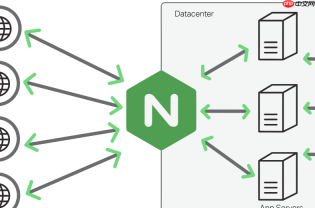
在 Nginx 中,通过 http 块中的 log_format 指令,可以灵活定义访问日志的输出格式,满足监控、分析、审计等不同场景需求。
log_format 基本语法与作用范围
log_format 必须定义在 http 块内(不能在 server 或 location 中直接定义),它为后续 access_log 指令提供命名格式模板。每个格式需指定唯一名称,例如:
log_format main '$remote_addr - $remote_user [$time_local] "$request" $status $body_bytes_sent "$http_referer" "$http_user_agent"';
定义后,在 server 或 location 中用 access_log /path/to/access.log main; 即可启用该格式。
常用内置变量及其实际用途
Nginx 提供大量变量用于日志拼接,关键实用变量包括:
-
$request:完整请求行(如GET /api/user?id=123 HTTP/1.1),适合排查路径与参数问题 -
$request_time:请求处理总耗时(秒,精度毫秒),是性能分析核心指标 -
$upstream_response_time:上游服务响应时间(多个值用逗号分隔),用于定位后端瓶颈 -
$http_x_forwarded_for:真实客户端 IP(当有代理时),比$remote_addr更准确 -
$request_length:请求头+请求体总长度(字节),辅助识别大请求或异常上传 -
$bytes_sent和$body_bytes_sent:分别表示发送总字节数与响应体字节数,可用于流量统计
定制化日志格式的典型实践
根据常见运维目标,可组合变量构建专用格式:
-
调试型日志:加入
$request_id(需配合map或ngx_http_core_module生成)、$upstream_addr、$upstream_status,便于追踪单次请求全链路 -
安全审计日志:包含
$http_user_agent、$http_referer、$args(原始查询参数)、$request_method,辅助识别爬虫或恶意行为 -
性能监控日志:聚焦
$request_time、$upstream_response_time、$status、$request_length,适配 ELK 或 Prometheus 日志采集解析 -
精简访问日志:仅保留
$time_local、$status、$body_bytes_sent、$request_uri,降低磁盘 I/O 与存储压力
注意事项与避坑提示
使用 log_format 时需注意:
- 变量名区分大小写,如
$http_user_agent不能写成$http_User_Agent - 若引用未定义的变量(如未启用模块的
$request_id),Nginx 启动会报错,需先确认模块支持 - 日志中含空格或特殊字符(如引号)时,建议用双引号包裹整个字段,避免解析歧义
- 高并发场景下,频繁写入复杂日志可能影响性能,可考虑异步写入(
access_log ... buffer=64k flush=5s;) - 修改
log_format后必须重载 Nginx(nginx -s reload)才能生效,而非仅重启 worker 进程


