






Nginx 本身不能导出 Prometheus 指标,仅可作为反向代理将不同端口请求转发至真实 exporter(如 node_exporter、blackbox_exporter),由后者以标准格式暴露 /metrics;需配置多 server 块监听端口并代理路径,Prometheus 再按端口抓取。
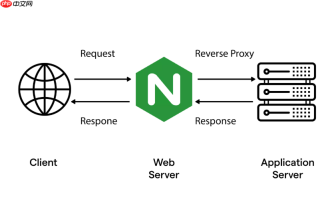
直接用 Nginx 做基于端口的 Prometheus 指标导出,**本身不可行**——Nginx 不是指标采集器或 exporter,它不能生成、暴露或转换 Prometheus 格式的指标(如 http_requests_total{job="nginx"} 123)。但你可以用 Nginx 作为**反向代理或路由层**,将不同端口的请求转发给真正的 Prometheus exporter,从而实现“基于端口访问不同指标服务”的效果。
明确角色分工:Nginx 不产指标,只转请求
Nginx 在这里的作用是:监听多个端口 → 根据端口区分流量 → 将请求代理到后端 exporter 实例。真正的指标必须由 exporter(如 node_exporter、blackbox_exporter、自定义 Python/Go exporter)提供,并以 text/plain; version=0.0.4 格式暴露在 /metrics 路径。
例如:
-
http://localhost:9100/metrics→ node_exporter(系统指标) -
http://localhost:9115/metrics→ blackbox_exporter(探针指标) -
http://localhost:8080/metrics→ 你写的自定义 HTTP exporter
配置 Nginx 实现端口级指标路由
在 nginx.conf 或站点配置中,为每个目标 exporter 定义一个 server 块,监听不同端口,并仅代理 /metrics 路径(避免暴露其他接口):
server {
    listen       9200;
    server_name  _;
<pre class="brush:php;toolbar:false;">location /metrics {
    proxy_pass http://127.0.0.1:9100/metrics;
    proxy_set_header Host $host;
    proxy_set_header X-Real-IP $remote_addr;
}

location / {
    return 404;
}
}
server { listen 9201; servername ;
location /metrics {
    proxy_pass http://127.0.0.1:9115/metrics;
    proxy_set_header Host $host;
    proxy_set_header X-Real-IP $remote_addr;
}

location / {
    return 404;
}
}
重启 Nginx 后,即可通过:
-
curl http://localhost:9200/metrics→ 获取原 node_exporter 指标(经 Nginx 转发) -
curl http://localhost:9201/metrics→ 获取原 blackbox_exporter 指标
配合 Prometheus 抓取:按端口配置 job
在 prometheus.yml 中,为每个 Nginx 端口定义独立 job,便于打标和管理:
scrape_configs:
  - job_name: 'nginx-proxied-node'
    static_configs:
      - targets: ['localhost:9200']
    metrics_path: /metrics
- job_name: 'nginx-proxied-blackbox'
static_configs:
- targets: ['localhost:9201']
metrics_path: /metrics
Prometheus 会分别向
:9200和:9201发起抓取,Nginx 再将其转发至真实 exporter。你还能在 job 级别添加labels,比如proxy_type: "nginx",用于后续查询区分。
- targets: ['localhost:9201']
metrics_path: /metrics
注意事项与增强建议
这种方案轻量实用,但需注意:
- 不改指标内容:Nginx 不修改响应体,原始 exporter 的指标标签、格式、采样逻辑完全保留
-
健康检查要配对:若用 Nginx 做高可用,需在 upstream 中配置
health_check或依赖 exporter 自身的/-/healthy -
安全考虑:生产环境建议加 basic auth(用
auth_basic)或限制 IP(allow/deny),防止指标泄露 - 非必须场景:若只是单机部署,Prometheus 直连 exporter 更简单;端口代理更适合统一入口、灰度发布、或需要 Nginx 日志/限流等能力的场景


