interface configuration approach for the three meals gourmet smart catering system (english version)
- Overall Interface Structure
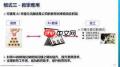
The English-language interface of the Three Meals Gourmet Smart Catering System adopts a clean, user-centric layout designed to deliver immediate clarity and effortless navigation. The primary navigation bar is positioned at the top of the screen and features horizontally aligned buttons labeled “Home”, “Menu”, “Order”, “Reservation”, and more. Each button combines a concise, universally understandable icon with its corresponding English label—ensuring rapid recognition and efficient access to core system functions.
- Language Switching Functionality
A dedicated language toggle appears in the top-right corner—or another clearly marked zone—of the interface. Activating it reveals a dropdown list offering multiple language choices, including English. Selecting English triggers an immediate, full-system language switch: all textual content—including dish names, order summaries, reservation fields, and system alerts—is rendered exclusively in English, supporting global patrons and native or proficient English speakers alike.
- Menu Presentation Design
The “Menu” module serves as a central hub for culinary exploration. Dishes are logically grouped into distinct categories—such as Starters, Main Dishes, Sweets, and Drinks—with each category displayed as a collapsible section. Upon expanding a category, users view rich English descriptions for every item, covering key details like core ingredients, preparation techniques, and unique attributes (e.g., gluten-free, chef’s special). Complementing each description is a high-resolution food image, enhancing visual appeal and aiding informed selection.

- Order Placement Workflow
Within the “Order” interface, users browse a curated list of available dishes. Each item includes an “Add to Cart” control; clicking it instantly adds the selection to the active order. A dynamic cart panel updates in real time—displaying itemized quantities, unit prices, cumulative total, and applied promotions or discounts. Users retain full control: they may adjust quantities directly or delete items before finalizing payment via the checkout process.
- Table Reservation Panel
The “Reservation” interface streamlines table booking through a streamlined, English-guided form. Users input required details—including preferred date and time, party size, and optional notes (e.g., seating preferences or dietary requests)—using intuitive, labeled fields. Once completed, submission triggers an on-screen confirmation message in English, providing booking reference number, scheduled time, and next-step instructions.
- User Account & Preference Management
A dedicated “Profile & Settings” section empowers users to manage personal data and system behavior. Here, individuals can edit contact information, update shipping or billing addresses, and configure secure payment options. Additional settings include notification preferences (e.g., SMS/email alerts for order status or exclusive offers) and fine-tuned language-related options—even within the English interface—for enhanced personalization. All interactions are supported by straightforward, grammatically accurate English prompts and tooltips.